Skip to content

Changelog

Every release, described in plain language.

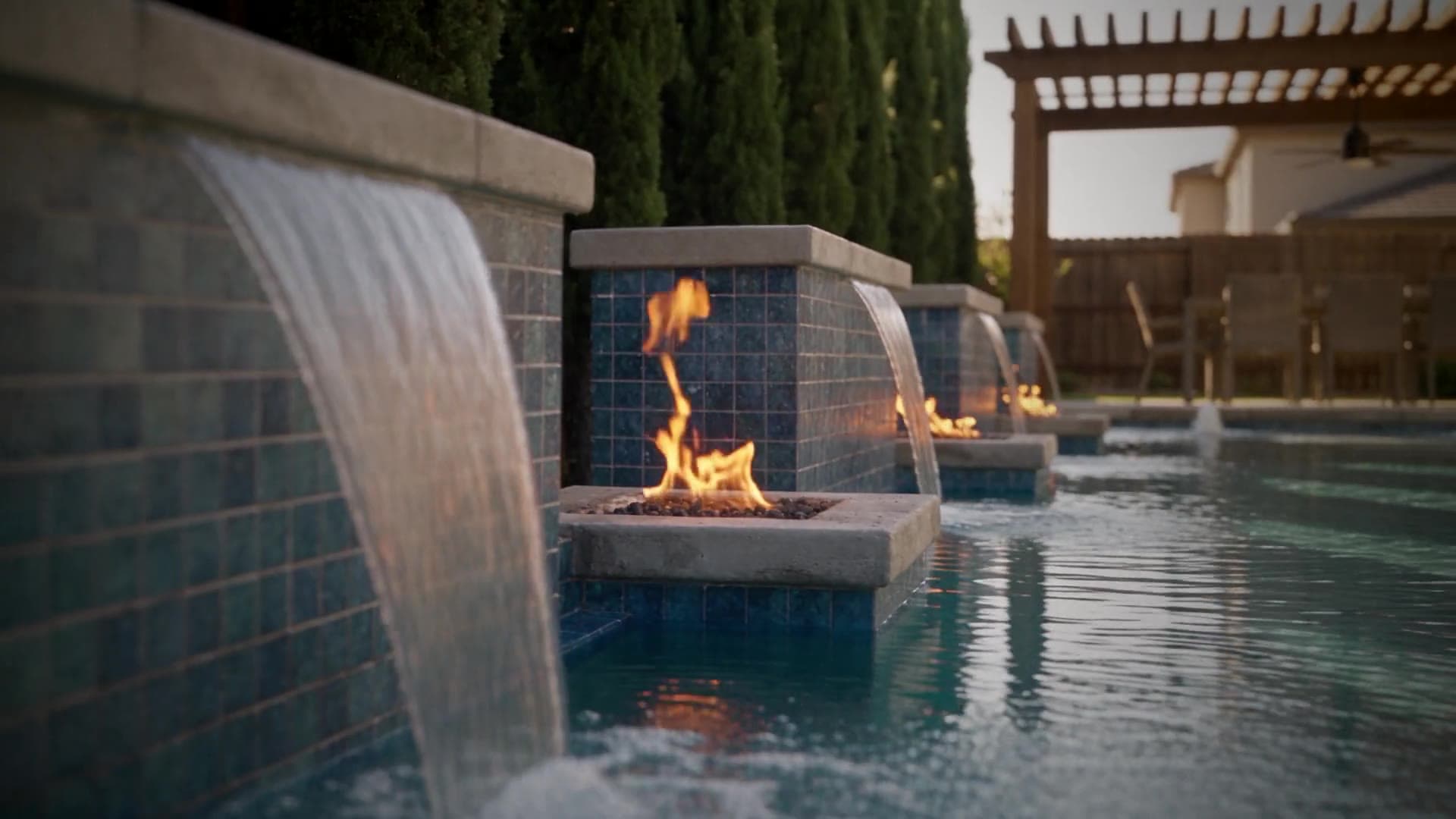
Water pours from the tiled sheer descents beside the lit fire bowls. A Story video made from a pool render.

A Story video · Made from a pool render

0.22.0

Big pictures upload without a fuss

  • A big render is no longer turned away: a JPG, PNG or WebP over 25 MB, or wider than 4096 pixels, is shrunk for you before it uploads, and the tile says Preparing while it works.
  • You can now drop a JPG, PNG or WebP of up to 200 MB. An iPhone photo is still up to 25 MB, a PDF 50 MB, and a TIFF or BMP 100 MB.
  • The same step runs on the free try, on an empty project and on Explore, so a big render behaves the same wherever you drop it.
  • If a picture can't be shrunk, you now get a plain reason and what to do next.
  • The upload limits you see on the try page, the guides and the design tool pages now match what the upload accepts.
0.21.0

Smoother try, visualizer and leads

  • The free try and the visualizer now take far more file types: TIFF, BMP, a PDF's first page, iPhone HEIC photos, a still from a video, and DXF or DWG plans. A plan is drawn as a 3D view, and you check it before anything is made. A refused upload now says exactly why.
  • A yard photo now moves from the free try into the visualizer without starting over, several broken Try again buttons were fixed, and a stuck upload has a Send us the file option.
  • Leads: a lead's visualizer picture can now become a video, and a lead's record shows its videos with a one click Send.
  • The visualizer skips its Place it step when your upload already fits the yard.
  • Copy across Explore, Leads and the free try now says video everywhere, and a batch of small bugs in the free try and the homeowner video flow were fixed.
  • Video quality improved: videos made from a homeowner's pictures now show only what the pictures show, and use your pool's real settings for size and features.
0.20.0

Full screen video, fewer rough edges

  • You can now watch any video full screen, with its own play bar and controls (press F, or tap the button).
  • Leads now has a Settings button next to Campaigns and Import, so your visualizer's domains and embed code are one tap away.
  • A design shown from above, like a satellite or drone picture, can now get a From your patio view that redraws it at eye level.
  • Fixed a bug where a project page said 0 videos over tiles that were still being made or had failed, instead of saying what was happening.
0.19.0

Try it on your design first

  • You can now try RenderSplash on your own design before creating an account. Upload a render and you get a free 10-second video of it back, no card needed.
  • Creating the free account from there takes only your email and a 6-digit code, or Google. No password to set.
  • Like what you see? Upgrading to Pro or VIP finishes that same design as a full 30-second video, continuing from your free one instead of starting over.
  • The Free plan is now that one free 10-second video of your own design, instead of credits for six draft videos.
  • Billing and the Upgrade page now describe your plan in videos too, alongside credits. Pro is 8 HD 15-second videos a month, or 4 at 30 seconds. VIP is 33, or 16. Your existing Walkthroughs still work the same as always.
  • Fixed a bug where a Story with cast members in it could fail to render because of how their portraits were prepared for the video model.
0.18.0

New Leads tab, better visualizer setup

  • Leads now has its own tab in the top bar, next to Explore and Projects, so you can jump straight to your visualizer leads.
  • Setting up the visualizer now walks you through a wizard, and the Share card for your visualizer link is smaller and easier to read.
  • Your embed settings for the visualizer are split into four tabs instead of one long page, so the domains, the embed code and its status are each easier to find.
  • You can now connect Claude Code to your RenderSplash account, the same way you can connect ChatGPT.
  • Fixed a bug where re-publishing a Walkthrough template could show the plain, unbranded version of its sample clip in Explore instead of the finished one.
  • Fixed a bug where a paid visualizer film could sit without starting for hours if the first attempt failed. It now gets caught and restarted on its own.
0.18.1

Stories only, with a free 10-second teaser

  • RenderSplash now makes one kind of video: the Story. Walkthroughs are retired, and new ones can no longer be made.
  • Free is a free 10-second video of your own design, no card. The full video comes with Pro or VIP.
  • Full HD is now the top quality. 4K is gone.
  • Walkthroughs you already made stay in your projects, and you can still watch, share and download them.
0.17.0

Faster signup, fewer rough edges

  • Confirming your email now takes a 6-digit code as well as the link, so you can finish signing up without leaving the tab you were in, even from an ad on your phone.
  • The phone number at setup is now optional. Only your business name is required to get your workspace going.
  • Billing is more reliable: a purchase can no longer be charged or counted twice.
  • VIP's proposals on your own domain, and a few other features that were already live, no longer show a stale "coming soon" tag anywhere in the app.
  • A Walkthrough made from a Story template now always films that template's finished, locked version, so what you get stays consistent even while we're still editing the template behind the scenes.
0.16.0

Quicker path to your first film

  • Signing up on the Free plan now takes you straight to Explore to make your first Walkthrough, instead of an extra setup screen, and we fill in your business name from your email address or Google account.
  • Explore now opens with a Walkthroughs and Stories toggle on the Free plan, starting on Walkthroughs, with a reminder that your first Walkthrough is free once you upload a render.
  • Running out of credits on the Free plan no longer leaves you stuck. You now see what upgrading to Pro gets you instead of a dead end.
  • Opening a locked Story on the Free plan now offers two paths: upload your render for a free Walkthrough right away, or see Pro's price to make the Story itself, picking up with the design you already chose.
  • Finishing your first Walkthrough now offers a one click path to see the same yard as a Story on Pro, carrying your upload straight into checkout so you never upload it twice.
  • Fixed a bug where opening a Story's make screen from a direct link could get stuck on the general "what should we make next" chooser instead of starting that Story.
0.15.0

Projects, Walkthrough ordering, sign-in polish

  • "Your films" is now called Projects. A project's tile shows a quick muted preview of its latest film when you hover over it, a Filming badge while one is still being made, and when the last film finished.
  • A project with no film yet shows "Make the first film" right on its tile. The project page header now shows the project's name and film count together, with a "Make another film" button.
  • Starting a new film, and the credit cost table on your billing page, now label a Walkthrough as Photoreal and a Story as Hyperreal, so you know which realism tier you are picking before you spend credits.
  • Walkthroughs have a new Sort inputs step: put your uploaded renders in the order you want before the film is made. Every render you upload is now used, and a render that is already photoreal skips an extra redraw step.
  • Signing in with Google is tidier: the One Tap popup no longer shows a white box behind it on dark pages, and it always appears in English.
0.14.0

Faster Story previews, new cast picker

  • Some Story templates now render a fast draft you can review first, then finish straight to HD or Full HD from that same take instead of starting over, priced the same way as any Story, by length. A Story about one family across several ages can keep that cast locked in, so it never gets swapped.
  • The Who's in it? cast picker is redesigned: pick a whole family from a picture-first card, or swap one role's face at a time. Starting a new project opens straight on that choice instead of an extra screen.
  • Free builders now see the full Story catalogue, locked, with a sample film playing and Pro's price shown, instead of a blank locked screen.
  • Billing is more reliable: usage now splits correctly in one step when two films finish close together, the cron job that advances in-flight films runs several at once, and a failed bank payment on a founding subscription frees that spot for someone else instead of holding it.
  • Signing in is safer: an invite link now shows only whether it is open, used, expired or revoked, never the invited person's email, sign-in redirects are locked to our own domain, and sign-up, log-in and password reset run an invisible check that only shows a challenge when it's unsure.
  • Pages load faster: Explore, the project workspace, Insights and the share page all got quicker database queries, watch-time tracking on shared films is more accurate, and images and film posters use stable links that load instantly on a repeat visit instead of a fresh one each time.
  • Smaller fixes: editing your business phone without changing it no longer blocks saving your other details, your chosen cast member is no longer ignored when you make a Walkthrough, a bad project or film link now shows a plain not-found page, the film page keeps the video in view while only the side rail scrolls, some Explore Walkthrough cards that led nowhere now open correctly, and scrollbars across the app are thinner and match its colors.
0.13.0

More reliable billing, invites and films

  • Two bugs that could stop you cold are fixed. After uploading renders to a new project, Open project could stay disabled forever, and clicking a film on the project grid could do nothing.
  • Retrying a film now reproduces the same film, same template, cast and length, instead of falling back to a generic one. A film stuck mid-render no longer blocks you from starting a new one.
  • Billing behaves more predictably. Upgrading a plan charges the prorated difference right away, downgrading waits until your current period ends and tells you the date, a failed bank payment no longer leaves your account stuck, and credits are reserved while a film renders so you can't overdraw.
  • Teammate invites work end to end now. They're emailed to the person you invite, survive if they sign in first, and Free plan owners see why they can't add a seat instead of a button that fails.
  • Picking a plan on the pricing page and signing up, including with Google, now reliably lands you on the plan and billing interval you picked, even if you confirm your email on a different device.
  • Film titles show up everywhere now, in emails, alerts, ChatGPT and share pages, instead of Untitled film. Draft videos end with just the watermark, no RenderSplash outro card, so they run a couple seconds shorter.
  • The film page loads faster and is simpler. Share and Download sit up front, everything else is in one menu, and a feedback note replaces free text AI editing on the clip.
0.12.0

Plans and founding prices, in one place

  • Free gives you 30 credits once, enough for six Walkthrough drafts, with no card. Stories and finished videos are on Pro and VIP.
  • Pro is $149/mo with 250 credits a month and 2 seats. VIP is $419/mo with 1,000 credits a month, 5 seats and share pages on your own domain.
  • The first 10 subscribers pay the founding price, $79/mo for Pro or $319/mo for VIP, and keep it for as long as they stay subscribed. There is a 7-day full refund.
  • Walkthroughs go up to 4K. Stories go up to Full HD, in 15- or 30-second lengths.
0.11.0

Share pages on your own domain

  • VIP builders can now put share pages on a domain they own. Add a subdomain like films.yourcompany.com from the Branding settings page, follow the one DNS record it shows you, and share links will carry your domain once it is verified.
  • Your homeowners see only your URL in the address bar. No RenderSplash branding, no rendersplash.com in the link.
  • Removing the domain or switching to a new one never breaks existing share links: they fall back to the rendersplash.com address automatically.
0.10.0

Stories, Characters, and the ChatGPT app

  • Stories are live: pick a template, cast a family from the character library, and make a 30-second film of your design with people, motion, and sound in it. The narrator's accent and background sounds now match your own region automatically.
  • Build your own cast: describe a person in a few words and we draw a photoreal portrait to cast into any Story. Creating one costs 5 credits, and your first two redraws are free.
  • Explore now shows every project's renders and films together, with a one-click switch between your original 3D input and the finished film. You can also set up your own outro now: choose the card your finished videos end on and add your logo.
  • New builders get a guided first run that walks them through making their first film step by step, and upgrading your plan, buying credits, and rating a finished film all now happen without leaving the app.
  • RenderSplash now works inside ChatGPT: connect your account and ask it to make a Walkthrough or Story film from a chat.
  • Smaller improvements: sign-in and sign-up got a visual refresh, your account pages now share one side navigation, uploads and logos are checked more carefully before they're used, the project switcher no longer wraps awkwardly on narrow screens, Google sign-in now waits until you show interest before popping up, and a failed video explains why in plain language, with a warning up front if your prompt asks for music we can't produce.
0.9.0

Stories are live

  • Stories are 30-second films: the empty yard, the pool building itself, a family like your client's in it, the lights coming on at night. One render in.
  • Four templates to start: Build to night, A dog's day, First light to starlight, and Christmas by the pool.
  • Pick a template, pick a family from the character library, and press Make Story. The script writes itself.
  • A Story costs 60 credits at HD (six times a Walkthrough draft, twice an HD Walkthrough).
  • Pro and VIP builders can make Stories at any quality.
0.8.0

Plans are now Free, Pro, and VIP

  • Starter is gone. The three plans are Free, Pro ($99/mo), and VIP ($399/mo).
  • Free now starts you with 30 credits, enough for six draft videos, no card required.
  • Pro includes 250 credits a month, two seats, and your business name on every shared video.
  • VIP includes 1,000 credits a month, five seats, branding, and white-label proposals on your own domain.
  • Annual billing is now 20% off, at $79/mo for Pro and $319/mo for VIP.
0.7.0

Credits in whole numbers, always on screen

  • Credits now count in tens: a finished HD video is 10 credits and a draft is 5. Starter gives you 100 a month and Pro 350.
  • The top bar shows how many credits you can spend right now, your plan's and any you bought, on every page. Hover it to see the two apart.
  • Buying credits in bulk costs less per credit, from 250 at once.
0.6.0

The full site: how it works, pricing, help centre

  • Added pages for how the video gets made, pricing, and pool builders.
  • Added a help centre and a company page so you know who you're working with.
  • Added the pages a site needs before you sign up: terms, privacy, refunds, and how the AI part works.
  • Started this changelog.
0.5.0

Three plans, credits that make sense

  • Settled on three plans: Free, Starter, and Pro, each with a set number of credits a month.
  • Draft videos cost less than a finished one, so you can check a shot and camera move before you commit to the full render.
  • Credits you buy on top of your plan never expire.
  • Locked our billing connection to a specific Stripe version, so changes on their end don't break your subscription.
0.4.0

Live at rendersplash.com

  • The site and sign-in moved to rendersplash.com, off the temporary preview address.
  • Shared video links now play from rendersplash.com too, so a link you send a client keeps working.
0.3.0

Make, watch, and share a video

  • Upload your renders and we write a shot list, draw a photoreal frame for each shot, and film it.
  • Your project page now shows every video you've made, with a composer for starting the next one.
  • Pick a quality for each video: draft, 720p, 1080p, or 4K.
  • Share a finished video with a client using a link. They can watch it without creating an account.
0.2.0

Upload what you already have

  • Start a project and upload the rendered stills, flythrough video, and 2D plan you already have.
  • Each file type has its own supported formats and size limit, shown before you upload.
0.1.0

RenderSplash opens for business

  • Sign up and sign in. No sales call required.
  • Invite your team to the same account.
  • The free plan needs no card to start.
  • First version of the look: dark, minimal, built around video.